Phone and tech accessories
Case texture
- Single shot
- Product only
- Portrait 4:5
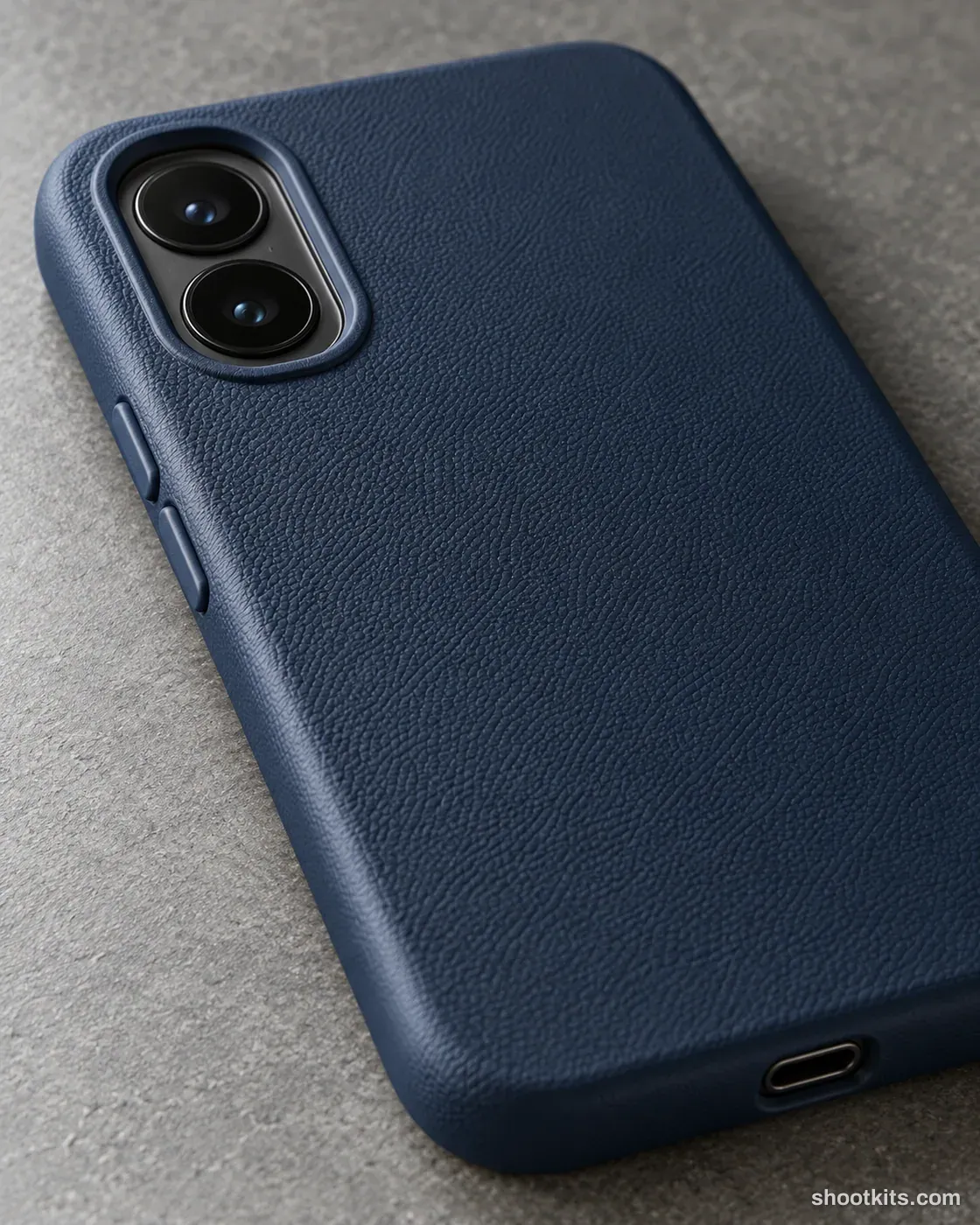
Texture can help shoppers judge a case's finish when they cannot pick it up. This close photograph draws attention to the surface, edge, and button covers, making it a useful supporting image beside a full product view. Pebbled shells, woven covers, and other accessories with visible construction benefit from the approach. For an accurate ChatGPT version, include a well-lit detail photograph and ask for the same grain scale and button positions rather than an exaggerated premium-looking surface.
Describe your tech accessory in a few words. Still attach your product photo in ChatGPT.
Create one photorealistic professional product campaign photograph. Use supplied product reference image(s), if available. Use the supplied product as the source of truth for its design, color, shape, material, texture, finish, packaging and any existing visible branding. Sector: Phone and Tech Accessories. Hero product: the product shown in the attached product reference(s). Setting: Neutral surface. Arrangement: Close view of the case edge and buttons. Camera: Oblique macro. Framing: Detail. Lighting: Raking light. Product priority: Show the accessory's real fit, cut-outs, texture and connectors. Any phone, laptop or tablet is a generic device with no logos and a blank or neutral screen. Brand/art direction: Refined, realistic commercial photography. Supporting styling: Minimal props that complement the supplied product. Composition/aspect ratio: Portrait 4:5. Keep the hero product clearly readable with realistic scale, contact shadows and reflections. Never obscure or replace the hero product. Render the stated location and lighting coherently. Preserve natural material texture. No people, invented branding, extra products, captions, watermarks or excessive retouching.
Attach your product photo before you paste the prompt. A plain background and even light give the most accurate result.
How to use this prompt
- Photograph your tech accessory. Use a plain background and soft, even light. A phone photo is fine if it's sharp.
- Open ChatGPT and attach the photo. Use a model that can create images.
- Paste the prompt and send it. You get one finished photo.
- Fix details in the same chat. If something changed, reply with what to keep, for example: “Keep the label exactly as in my photo.”
More tips in How it works.
Questions about this kit
- What does the Case texture prompt create?
- It creates one finished portrait photo (4:5) of your own tech accessory, in this scene: neutral surface. The 4:5 shape fits Instagram feed posts and most product pages.
- Are there people in the photos?
- No. This is a product-only photo, which suits listings, catalogues and ads where the tech accessory should be the only subject.
- Will ChatGPT keep my tech accessory exactly as it is?
- The prompt tells ChatGPT to treat your photo as the source of truth and to protect the cut-outs, buttons, connectors, texture and finish. If a detail still changes, reply in the same chat: “Keep the cut-outs exactly as in my photo.”